
Caseware Connector
Bridge system gaps with Caseware Connector
Transform operational and financial data into real-time insights with automated and interactive reporting.
Caseware Connector is a Microsoft Office add-in that links your Caseware Working Papers data directly to Excel and Word. Stop the manual transfer cycle by building custom, automated reports that update instantly as your engagement data changes.
Powerful features that keep your reports live
Caseware Connector eliminates the gap between your engagement data and client-ready documents – giving you live, accurate outputs with none of the manual effort.
Direct Excel and Word linking
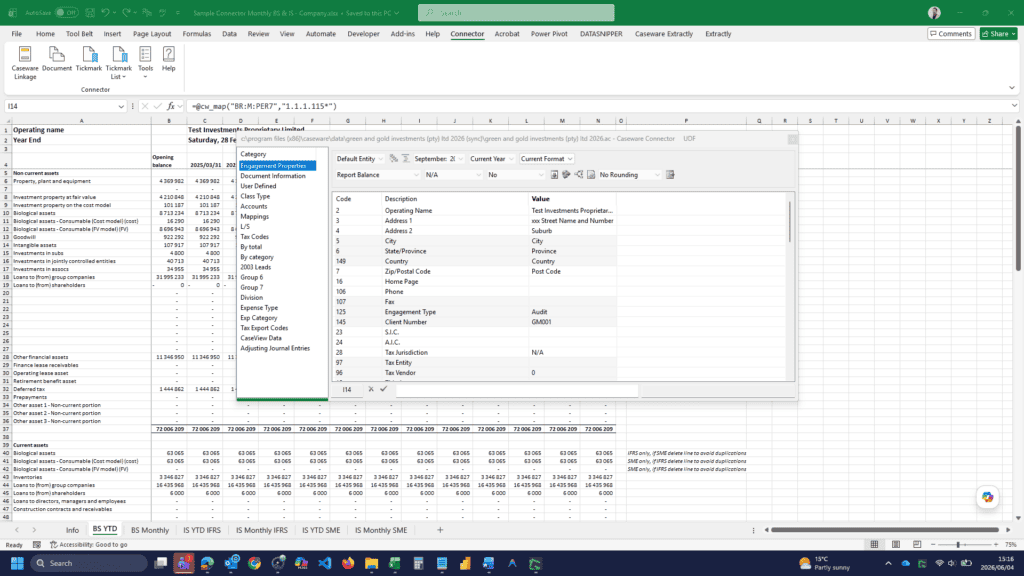
Link trial balance values, account names, or document properties directly into Office documents, with every adjustment in Caseware reflected instantly.
One-click data refresh
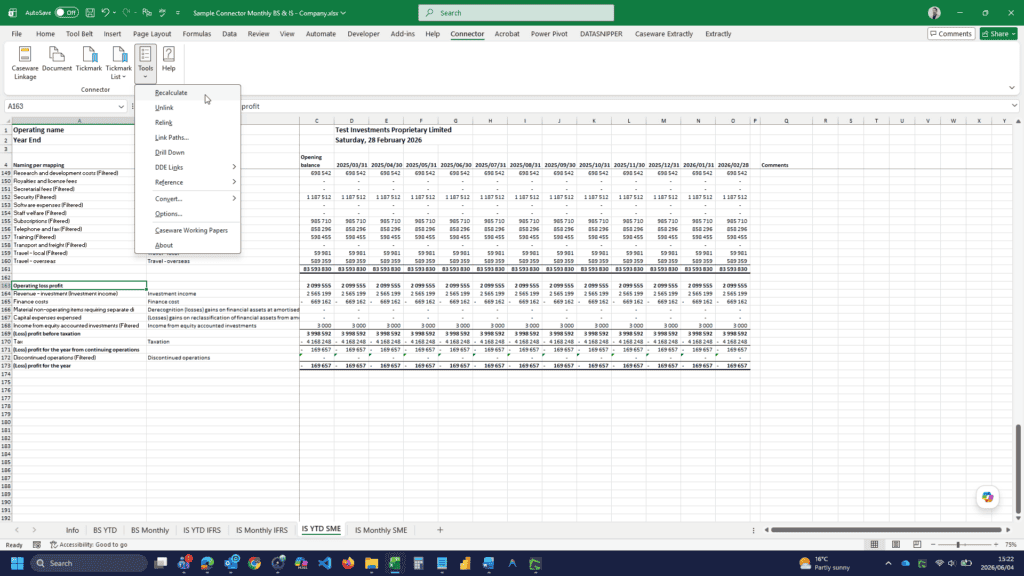
With the Recalculate function, the Connector scans your document and refreshes every linked cell to match the latest figures in your Working Papers file.
Advanced formula builder
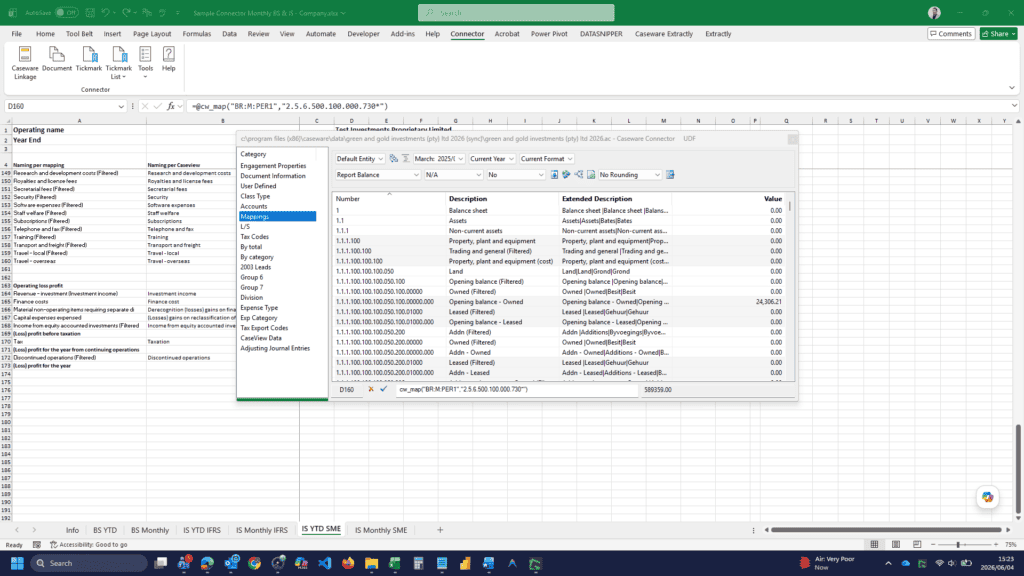
Create custom calculations in Excel using Caseware-specific formulas to pull YTD figures, prior year balances, and budget data.
Advanced referencing
Add cross-references, tickmarks, and direct links to supporting documentation within Office documents, keeping each figure connected to source evidence.
Trusted by leading audit and finance teams
Caseware Connector is used by 95 percent of top-tier firms to automate bespoke financial reporting. It reduces manual entry errors, works seamlessly within Microsoft 365, and keeps every reported figure directly linked to underlying audit evidence.
From consolidation schedules to board-ready summaries, it supports structured, reliable reporting across complex group environments.
Reporting benefits that deliver impact
Standardisation
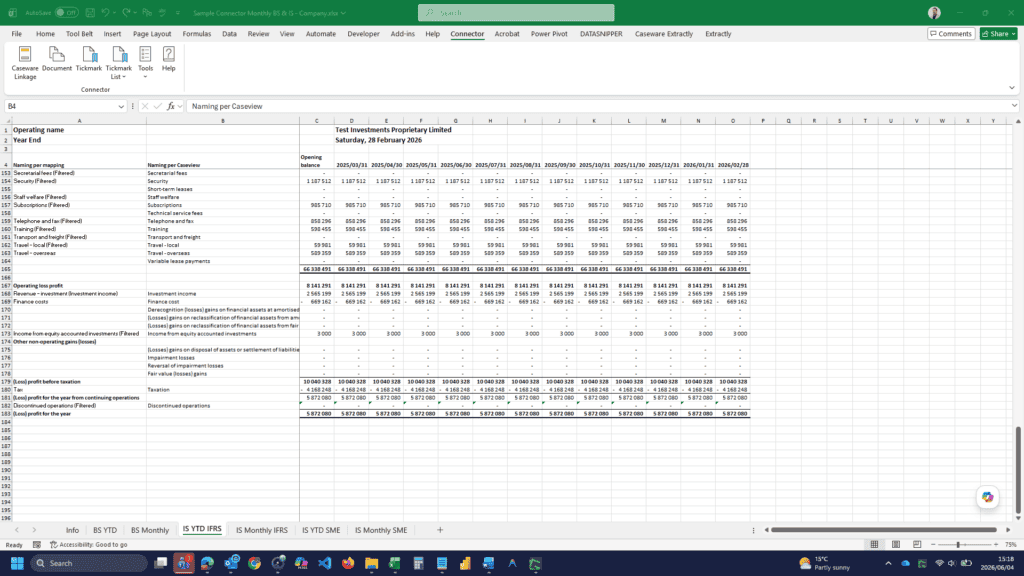
Audit firms standardise engagement files by reusing Word and Excel templates across their entire client portfolio.
Bespoke reporting
Auditors build customised reports and management overviews across multiple client entities using structured, reusable reporting templates.
Rapid drafting of bespoke reports
Finance teams create customised management accounts and specialised industry reports within Excel using automated Caseware-linked data.
Significant time savings
Teams roll forward linked Excel and Word reports annually by pointing them to the new Caseware file.
How to use Caseware Connector
Open Excel
Launch your Caseware Working Papers file and open a Microsoft Excel document.
Access the Connector Toolbar
Click on the Caseware Connector tab in the Office Ribbon. If it is not visible, enable the Add-in in your settings.
Insert a link
Click on Document or Account in the Connector toolbar. Browse for the specific value you need, such as Net Income or Total Assets, and click Insert.
Format your report
Treat the linked value like any other cell or text. Add Excel formulas around it or format it to align with your firm’s branding.
Refresh and sync
If you post a late adjusting journal in Caseware, return to Excel and click Recalculate. Every link in your document updates to the new figure automatically.
How to Use Caseware Connector
Open Excel: Launch your Caseware Working Papers file and open a Microsoft Excel document.
Access the Connector Toolbar: Click on the Caseware Connector tab in the Office Ribbon. If it is not visible, enable the Add-in in your settings.
Insert a Link: Click on Document or Account in the Connector toolbar. Browse for the specific value you need, such as Net Income or Total Assets, and click Insert.
Format Your Report: Treat the linked value like any other cell or text. Add Excel formulas around it or format it to align with your firm’s branding.
Refresh and Sync: If you post a late adjusting journal in Caseware, return to Excel and click Recalculate. Every link in your document updates to the new figure automatically.
Caseware Connector runs on
Caseware Working Papers
Integrates directly with Caseware Working Papers to extend your engagement file into Excel and Word for advanced reporting and consolidation.
Caseware Cloud
Supports modern cloud-based workflows, connecting your reporting outputs to centralised engagement data within the Caseware Cloud environment.
Take control of your financial reporting
Whether you are managing IFRS compliance, complex group financial reporting, or detailed multi-entity consolidation, Caseware Connector enables structured, automated reporting directly from your source data.
To see how Caseware Connector can support your reporting framework, contact us.