
Caseware IDEA® SmartAnalyzer
Uncover insights faster with Caseware IDEA® SmartAnalyzer
Guided analytics from data to results.
Caseware IDEA® SmartAnalyzer is a guided audit analytics solution within Caseware IDEA® that helps teams move from data import to results through a structured analytics workflow. Follow a clear process to import data, run pre-built audit routines, and uncover meaningful insights faster with guided audit analytics, anomaly detection, and risk-based data analysis.
Key Features of SmartAnalyzer
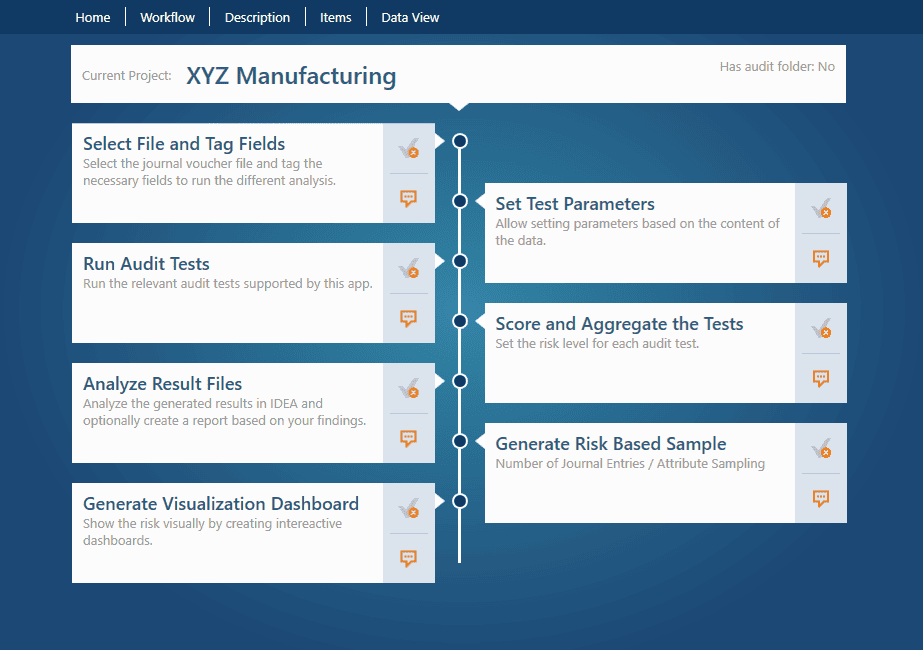
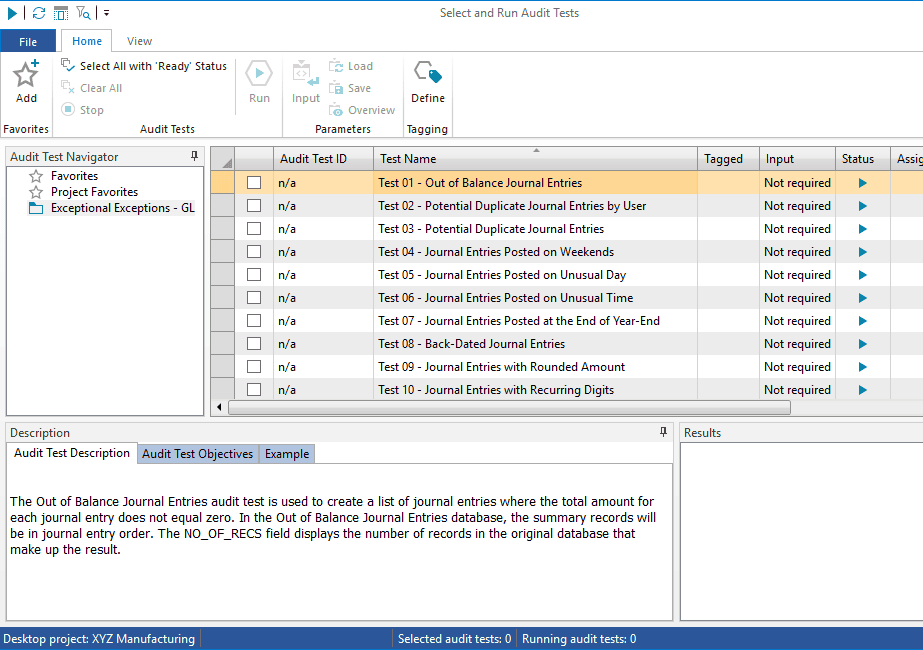
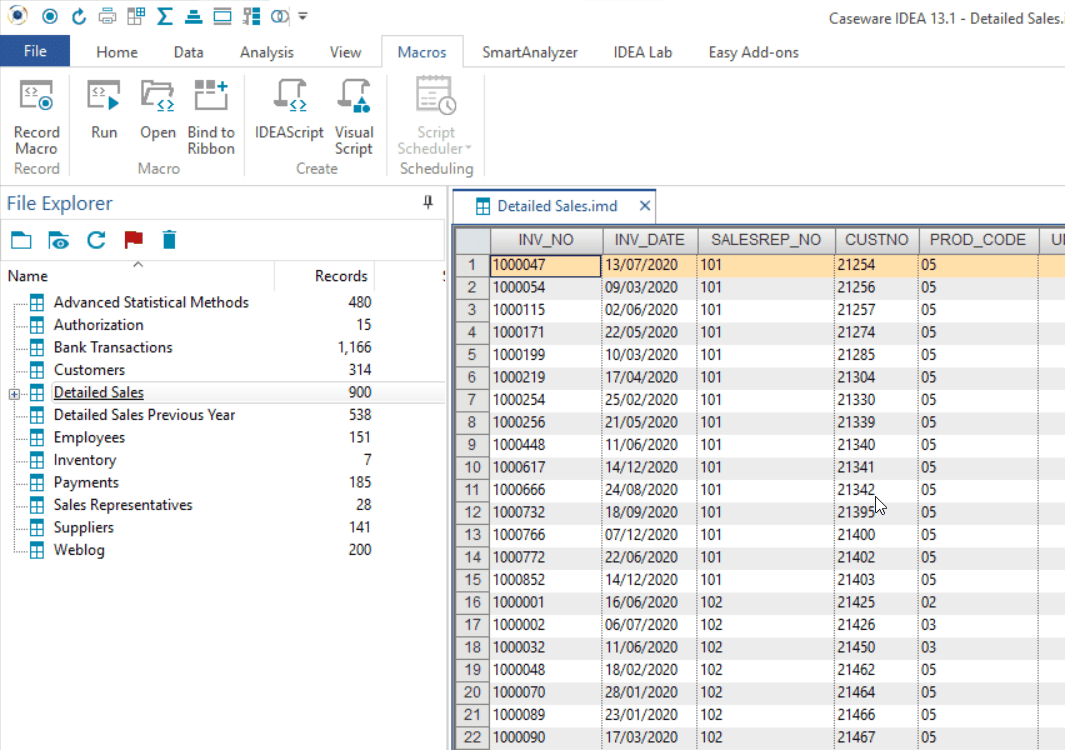
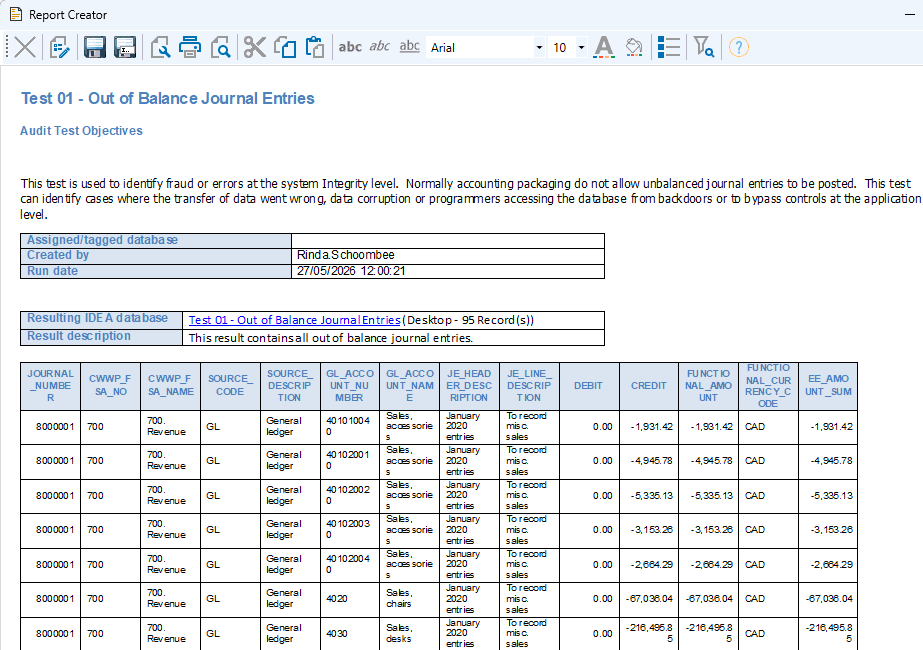
Guided data-to-results workflow
Follow a structured audit analytics workflow that guides you from requesting and importing data through analysis routines and reviewing results.
Ready-to-use analytics routines
Apply pre-built audit routines software within the workflow, helping you perform meaningful analysis without creating each routine yourself.
Full-population data analysis
Analyse complete datasets instead of selected samples to gain broader visibility across transactions, records, and activity through full-population testing.
Anomaly and exception detection
Surface unusual patterns, duplicates, gaps, negative values, and other exceptions across financial and operational data with built-in exception reporting.
Turn Data into smarter audit analysis
By combining guided steps with ready-to-use routines, Caseware IDEA SmartAnalyzer helps you analyse data more consistently and focus on what matters. This structured approach supports data-driven auditing across audit, finance, and governance teams.
Benefits of IDEA® SmartAnalyzer
Move from Data to Insight
Reach meaningful results faster with a clearer path from raw data to actionable insight.
Work with Confidence
Analyse data more consistently and reduce dependence on specialist skills or time-consuming manual setup.
See the Bigger Picture
Uncover trends, risks, and anomalies that limited sampling may not reveal with broader coverage.
Focus Where It Matters
Spend less time reviewing routine data and more time investigating the items that need attention.
How to Get Started
Simplify your setup process with these six easy steps.
Download and Install an App
Choose a SmartAnalyzer app in IDEA® Passport apps, then download and install it.
Launch the Workflow
Open the app and follow a guided workflow that takes you from data import to results.
Import Your Data
Bring your data into Caseware IDEA® SmartAnalyzer so it can be prepared for analysis and routine-based testing.
Tag Your Data
Map your data fields to the fields required by the routines so the analysis runs correctly.
Run the Routines
Follow the workflow to apply pre-built analytics routines and surface meaningful results from your data.
Review the Results
Review the exceptions, anomalies, and insights identified to decide on your next steps.
How to Get Started
Simplify your setup process with these five easy steps.
Download and Install an App: Choose a SmartAnalyzer app in IDEA® Passport apps, then download and install it.
Open the app and follow a guided workflow that takes you from data import to results.
Import Your Data: Bring your data into Caseware IDEA® SmartAnalyzer so it can be prepared for analysis and routine-based testing.
Tag Your Data: Map your data fields to the fields required by the routines so the analysis runs correctly.
Run the Routines: Follow the workflow to apply pre-built analytics routines and surface meaningful results from your data.
Review the Results: Review the exceptions, anomalies, and insights identified to decide on your next steps.
Caseware IDEA® SmartAnalyzer runs on
Caseware IDEA®
SmartAnalyzer runs within Caseware IDEA®, a trusted audit analytics software platform used to analyse financial and operational data, identify exceptions, and support structured audit testing.
Uncover Insights Faster with Caseware IDEA® SmartAnalyzer
Guided Analytics from Data to Results
Caseware IDEA® SmartAnalyzer is a guided audit analytics solution within Caseware IDEA® that helps teams move from data import to results through a structured analytics workflow. Follow a clear process to import data, run pre-built audit routines, and uncover meaningful insights faster with guided audit analytics, anomaly detection, and risk-based data analysis.