
Caseware Tracker
Centralise oversight, workflow, and performance with Caseware Tracker
Real-time insight into every Working Papers engagement.
Features that keep Working Papers visible and organised
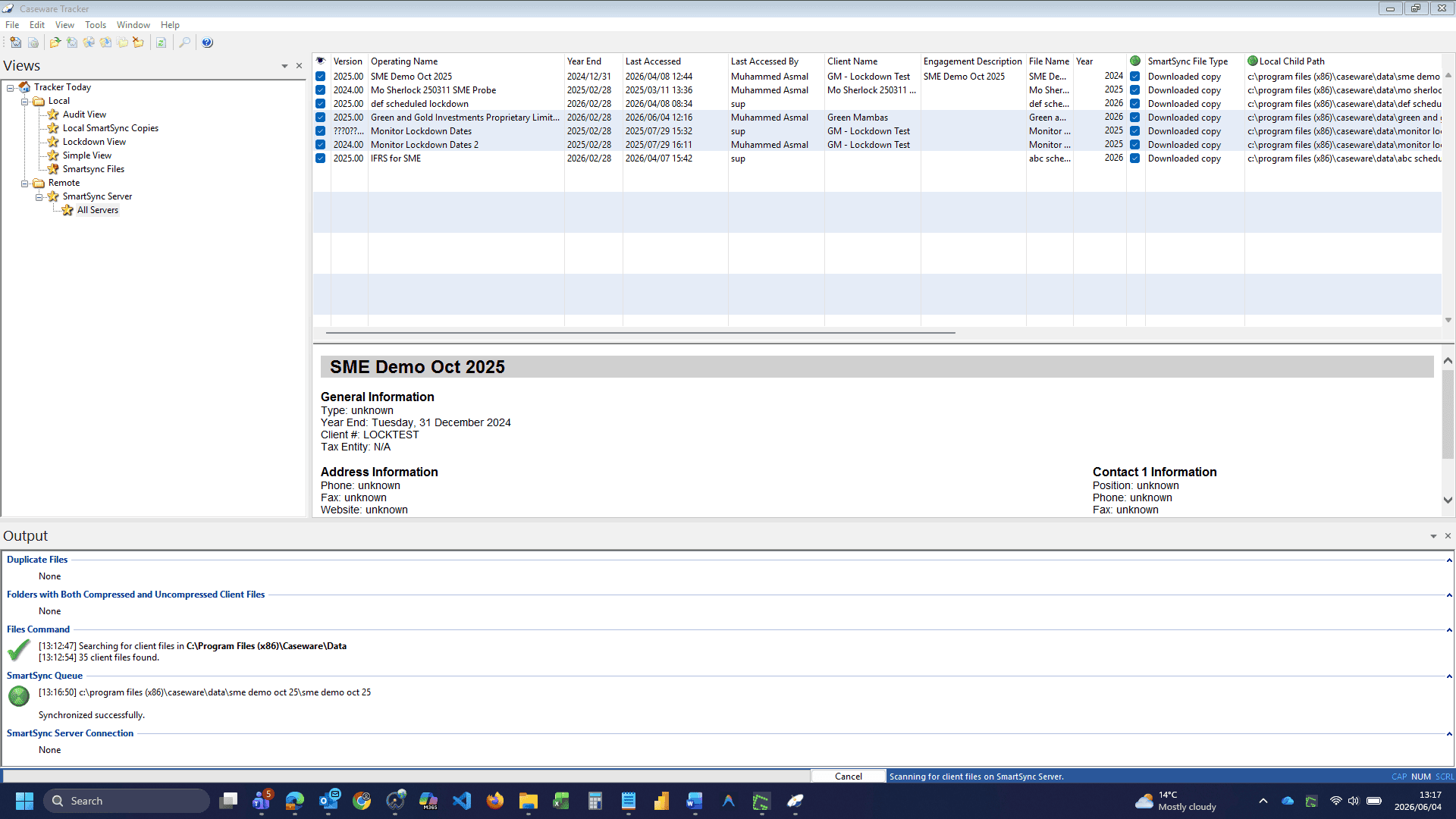
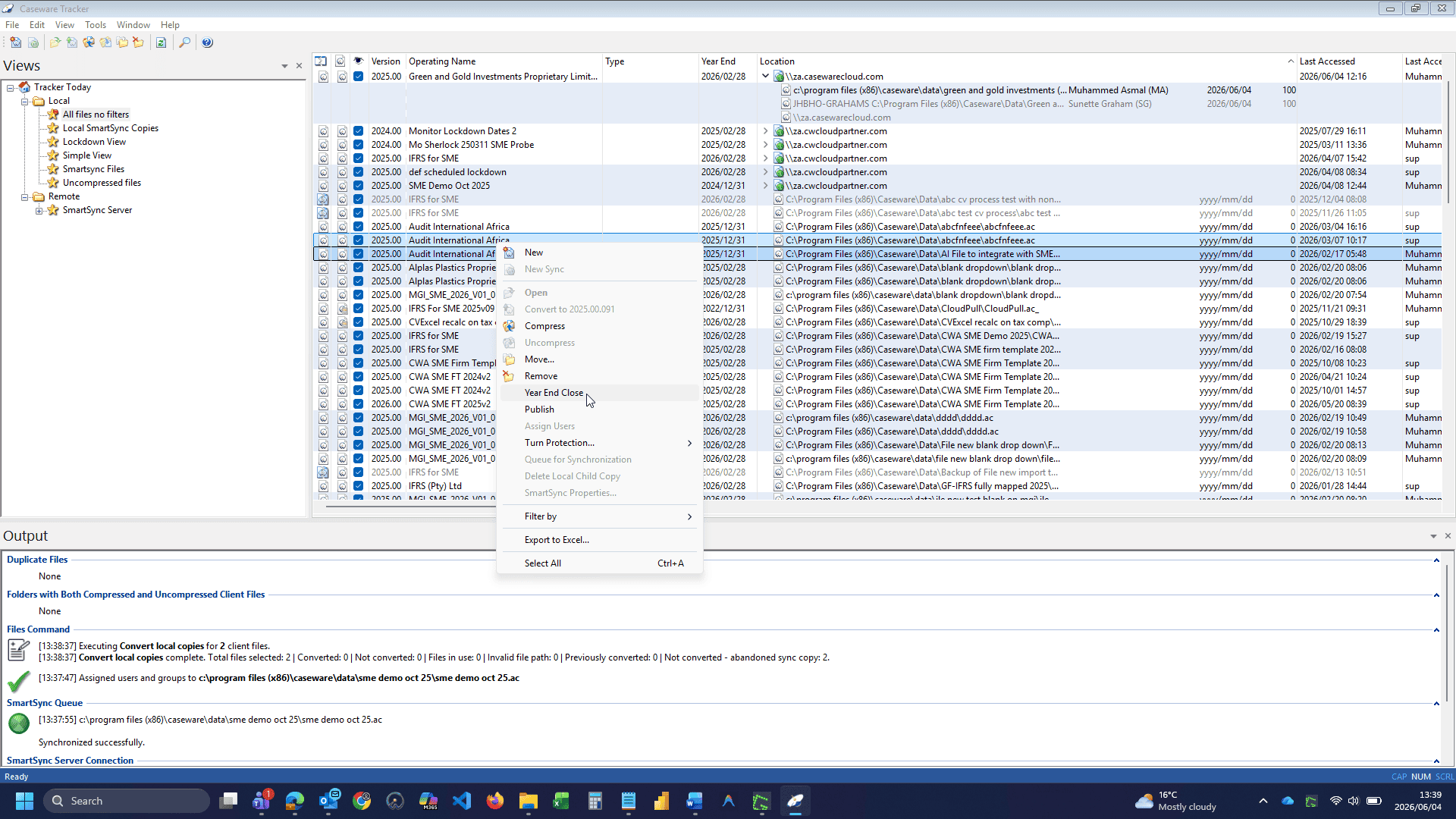
Centralised file listing for Working Papers
View and manage your organisation’s Working Papers files from one interface.
Auto-tracking of opened files
Every time a user opens a new Working Papers file, Caseware Tracker automatically adds it to the list, reducing manual admin.
Scan folders to discover engagement files
Scan a chosen workstation or server directory to pull all Working Papers files into Tracker for quick access.
Configurable views for operational control
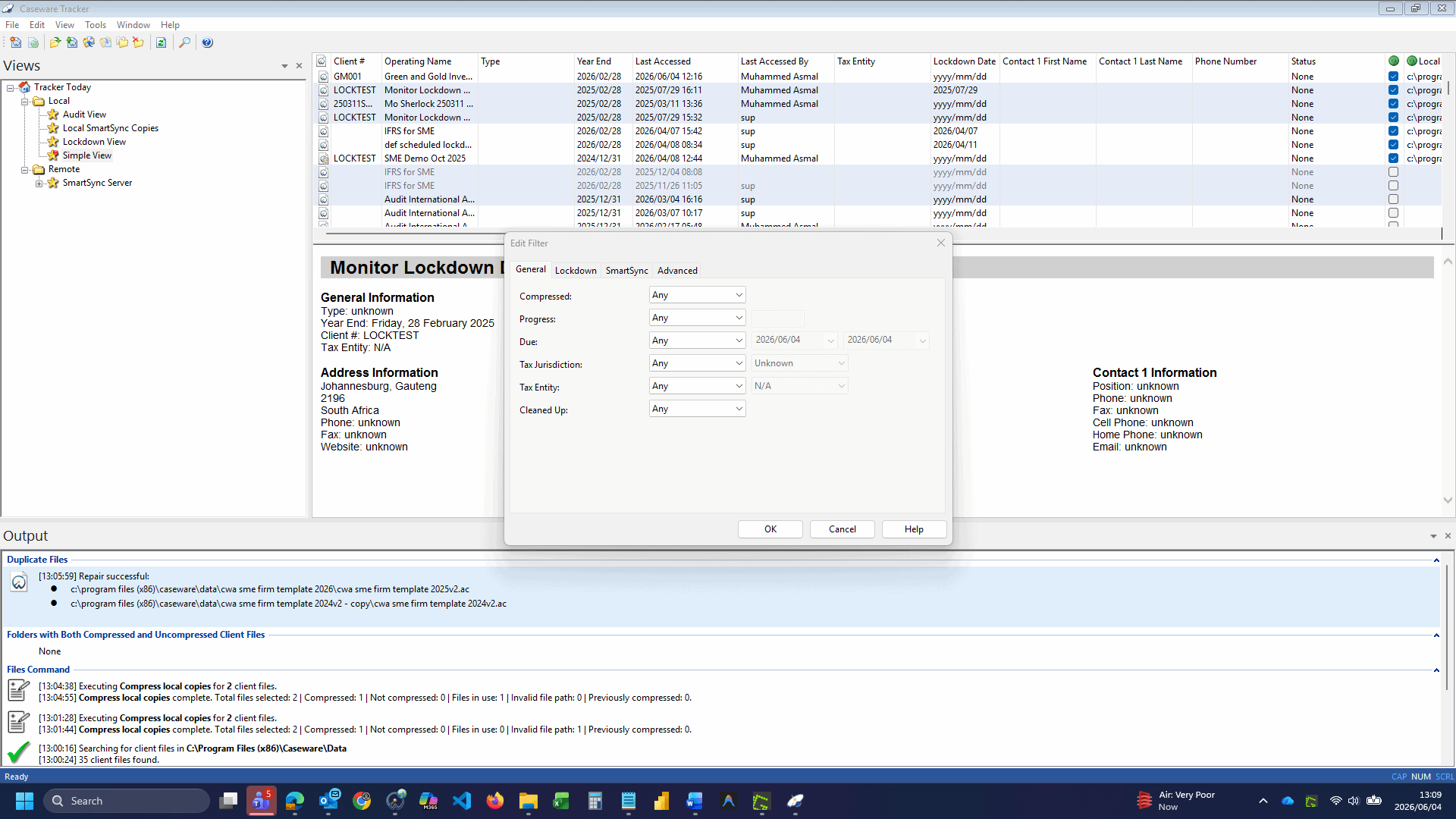
Use default views such as Audit View, Lockdown, and SmartSync Server, or create personal and shared views to filter and manage what matters.
Better control for error-free Working Papers management
Caseware Tracker supports stronger operational control by centralising visibility and management of Working Papers files. This helps reduce wasted time, limit avoidable handling errors, and enable teams to manage engagement administration with improved efficiency.
Benefits that support daily oversight
Faster file retrieval
Faster engagement file access and fewer delays in locating files.
Standardised file actions
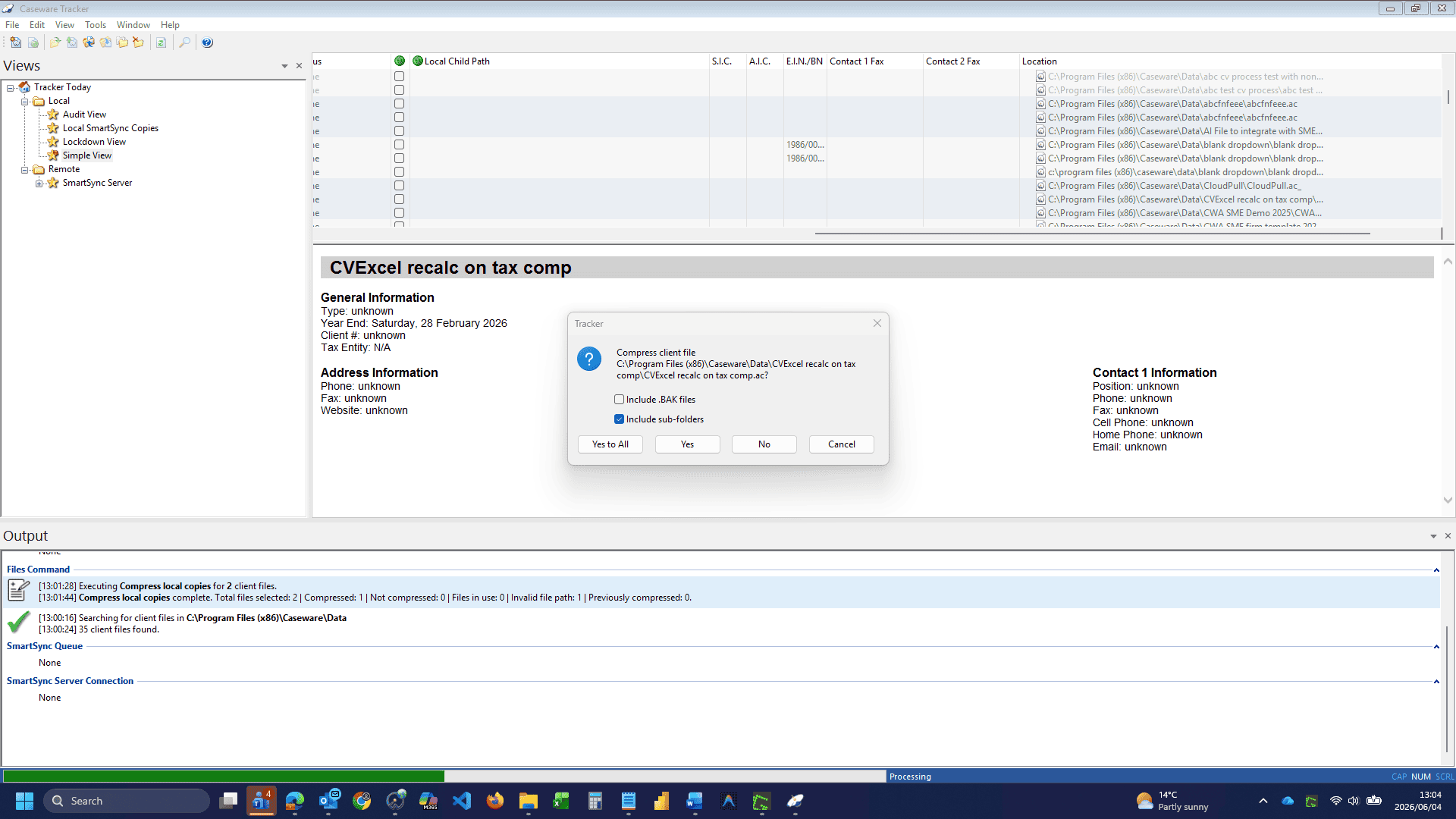
Better administration and consistency across teams for conversion, compression, and file moves.
Smarter visibility
Cleaner oversight through Audit, Lockdown, SmartSync, and custom views.
Efficiency unlocked
Less admin effort and more throughput for delivery teams.
How Caseware Tracker works
Get started with a simple workflow to find, filter, and manage Working Papers files with ease.
Open tracker
Open Tracker within your Working Papers environment.
Scan folders
Scan a folder or allow Tracker to auto-capture recently opened files.
Apply views
Apply a view to filter the file list, such as Audit, Lockdown, or SmartSync.
Execute actions
Select file(s) and complete actions such as open, convert, compress, or move.
Maintain current lists
Refresh or rescan regularly to keep the file list current.
Open Tracker: Open Tracker within your Working Papers environment.
Scan Folders: Scan a folder or allow Tracker to auto-capture recently opened files.
Apply Views: Apply a view to filter the file list, such as Audit, Lockdown, or SmartSync.
Execute Actions: Select file(s) and complete actions such as open, convert, compress, or move.
Maintain Current Lists: Refresh or rescan regularly to keep the file list current.
Achieve total oversight with Caseware Tracker
Complete Visibility Across Every Working Papers File.
Caseware Tracker brings order to your Caseware Working Papers environment by collecting every engagement file in one intuitive dashboard. Quickly search, sort, and take action without navigating complex folder structures or losing track of what has been accessed, updated, or linked.