
Client Inquiries
Simplifying client collaboration with Caseware Client Inquiries
Connect audit teams and clients in one secure App.
Managing client information requests doesn’t need to be fragmented across inboxes and spreadsheets. Caseware Client Inquiries brings communication, document requests, and response tracking into a single secure environment, helping audit teams maintain visibility, improve collaboration, and deliver engagements more efficiently.
Key Features of Caseware Client Inquiries
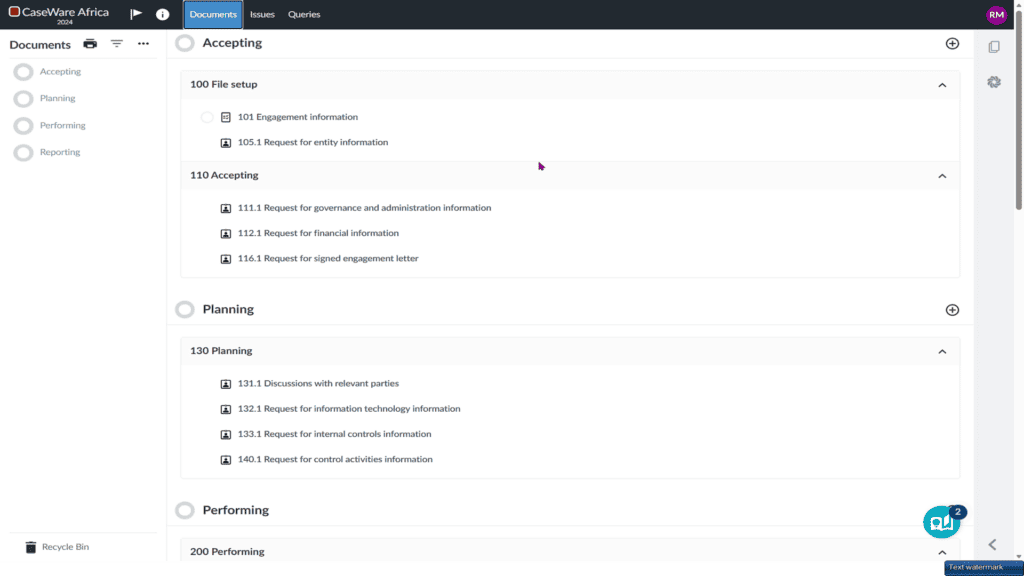
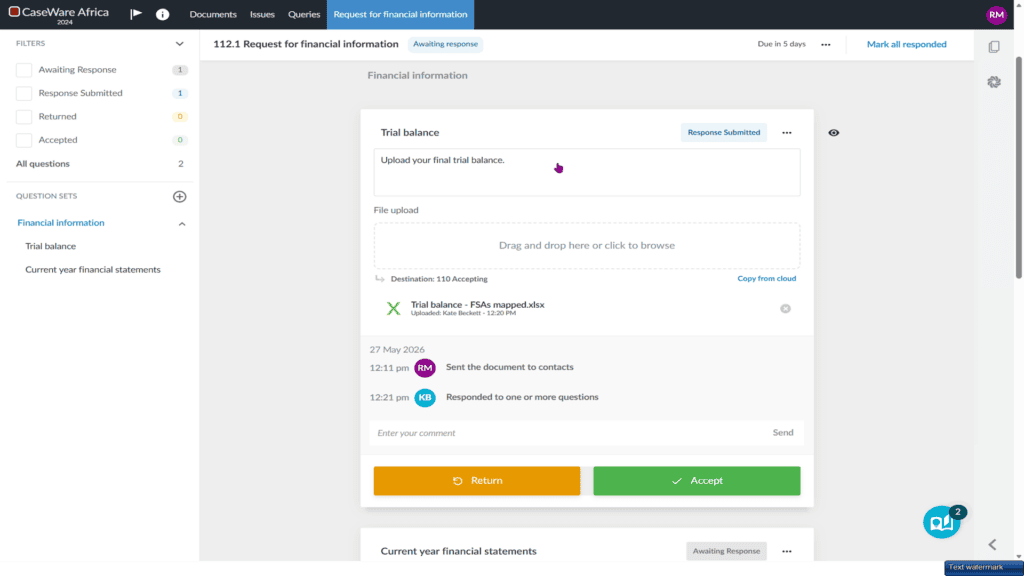
Centralised client portal
A secure, branded interface where clients can respond to requests and upload documents.
Request tracking
Real-time visibility into the status of each request, with automatic reminders to support follow-up.
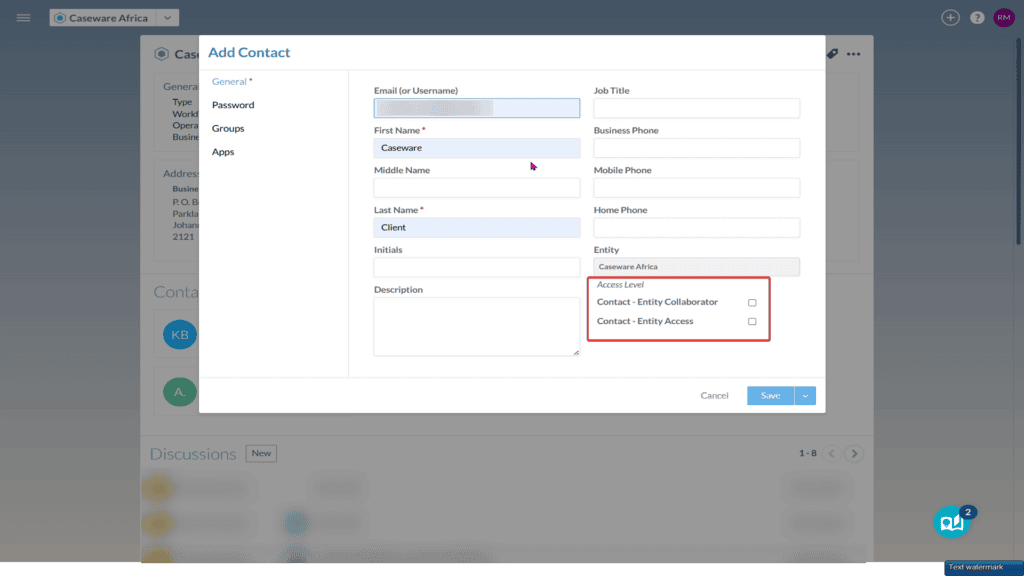
Role-based access
Supports the right level of access for internal teams and client contacts.
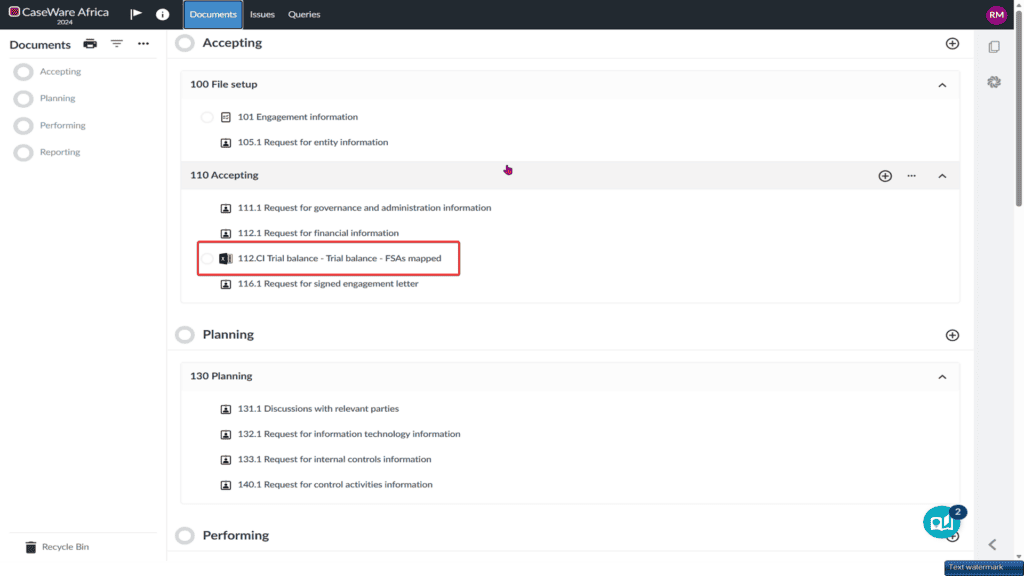
Integration with Caseware Cloud
Syncs requests and responses automatically to your audit engagement files.
Secure collaboration for every client request
Caseware Client Inquiries helps your firm improve turnaround times, support stronger client service, and streamline engagement collaboration by bringing all request interactions into one secure document exchange environment.
Benefits built for secure & connected client inquiries
Reduced follow-ups
Minimise time spent chasing clients for outstanding information.
Clear request visibility
View outstanding requests across multiple engagements in one place.
Workflow efficiency
Improve staff productivity with templates and structured workflows.
Centralised communication
Reduce reliance on external email threads.
How Caseware Client Inquiries works
A simple process for managing audit inquiries software within your engagement workflow.
Create file
Create a new file and set up your engagement.
Create & assign
Create requests and assign them to client contacts.
Client access
The client receives a secure link and responds directly in the portal.
Monitor progress
Track request statuses in real time.
Export
Export responses directly into your working papers.
Create file: Create a new file and set up your engagement.
Create and Assign: Create requests and assign them to client contacts.
Client Access: The client receives a secure link and responds directly in the portal.
Monitor Progress: Track request statuses in real time.
Export: Export responses directly into your working papers.
Client Inquiries runs on
Enhanced With
Simplifying Client Collaboration with Caseware Client Inquiries
Caseware Client Inquiries provides a secure, centralised space for managing the back-and-forth communication involved in audit and assurance engagements, helping auditors collect client documentation and responses, track progress, and reduce email overload.