
IPSAS Financial Statements
Automating IPSAS compliant financial statements
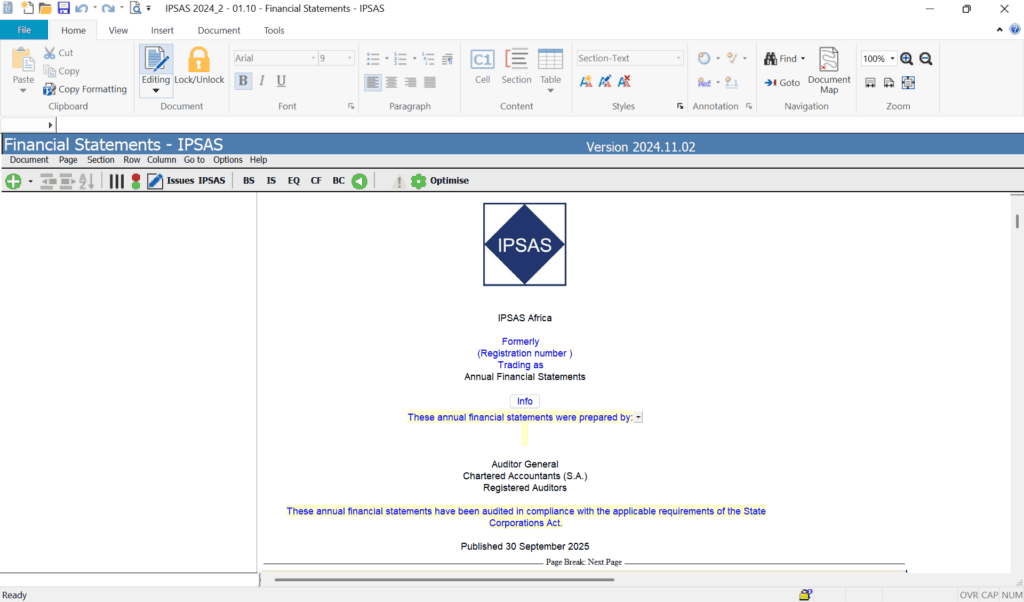
IPSAS Financial Statements Template enables public sector finance professionals to automate the preparation of IPSAS compliant financial statements.
Preparers can easily modify all elements of the statements, notes, and disclosures through extensive configuration options. This includes flexible lead sheets and a centralised document manager to organise working paper collateral, support automated financial reporting, and streamline the reporting process for annual and interim financial statements.
Powerful features for IPSAS Financial Reporting
IPSAS compliance
Automate and update financial statements in line with the latest relevant IPSAS Standards.
Seamless data imports
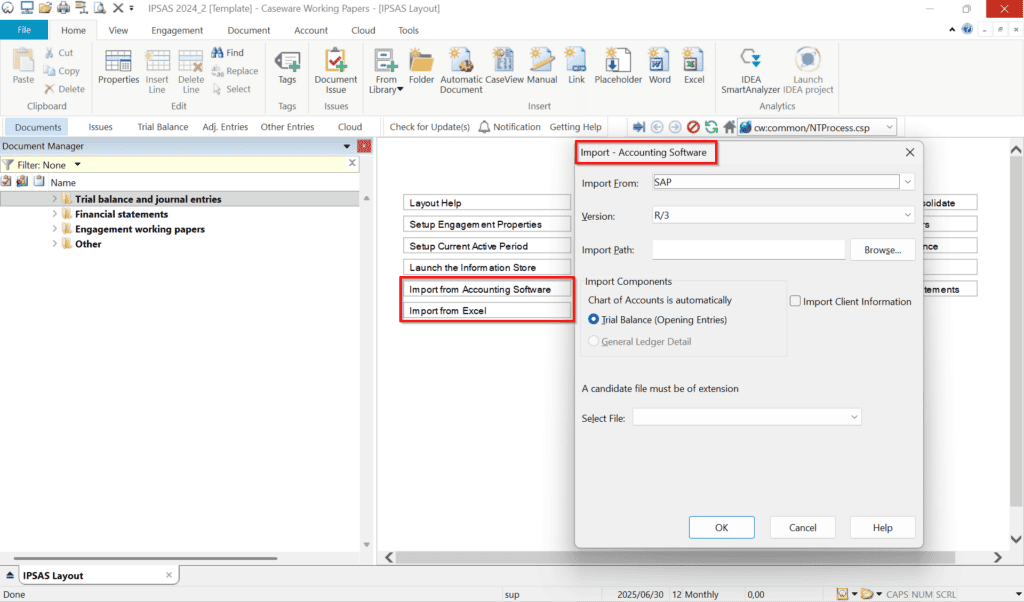
Import a trial balance or general ledger details from more than 60 accounting packages, Excel, CSV, and ASCII.
Built-in consolidation
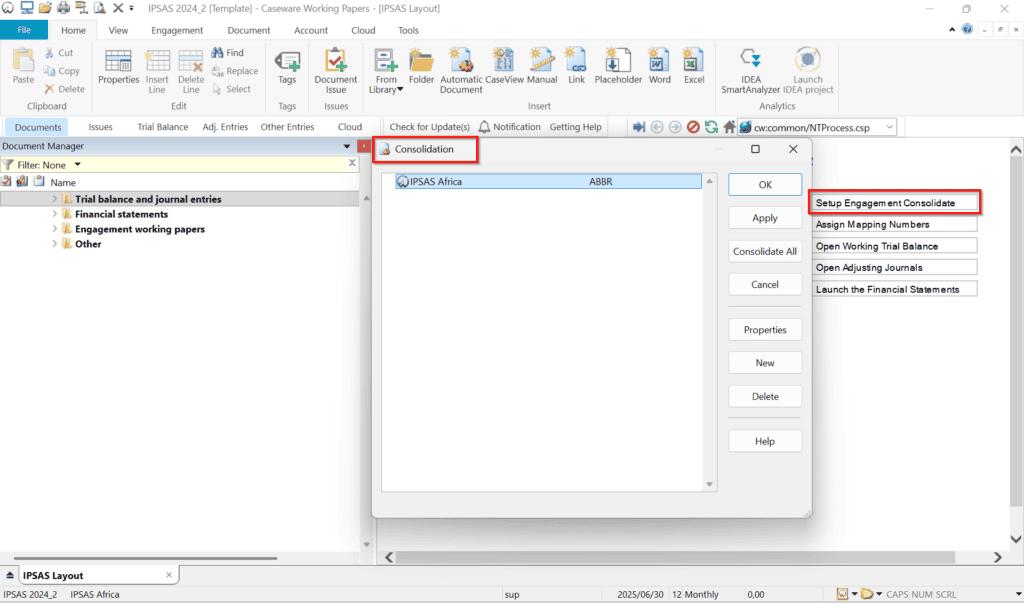
Aggregate multiple trial balances from various general ledger systems to simplify group reporting in one central platform.
Automation
Drive continuity from one data source across statements, notes, disclosures, and working papers.
Reliable Reporting for Public Sector Professionals
Drive accuracy and efficiency with a single data source that supports consistency across financial outputs and supporting documentation.
Benefits that support better Financial Reporting
Accrual-based automation
Prepare automated IPSAS compliant annual and year-to-date financial statements based on the accrual basis of accounting.
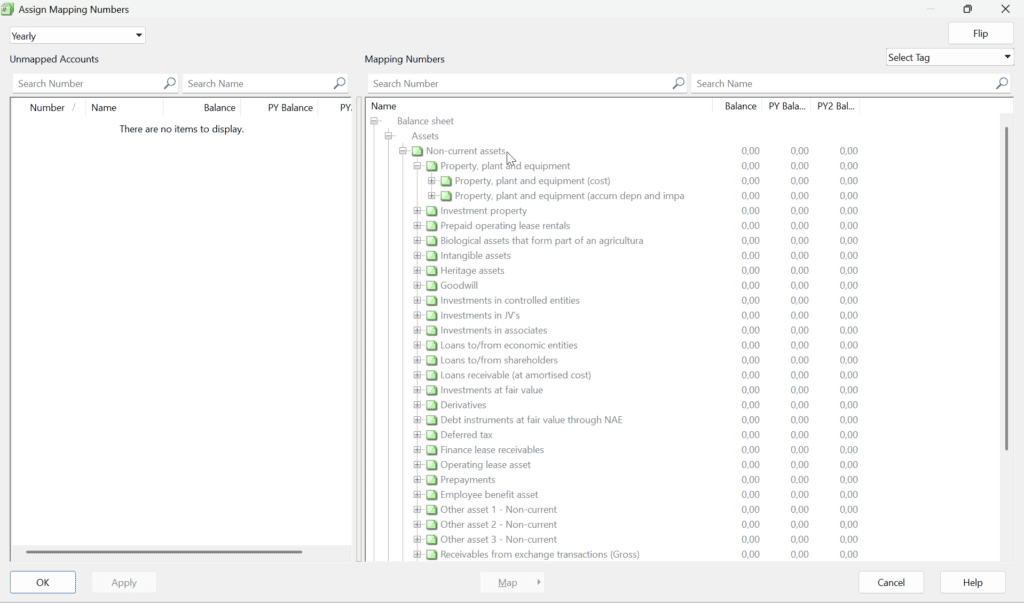
Simplified account assignment
Configure the financial statements to meet specific requirements using built-in automation creation features.
Full traceability
Reconcile the trial balance back to the ledger systems with full adjusting journal entry traceability and reporting.
Year-on-year efficiency
Increase efficiency by leveraging extensive built-in logic to roll-forward selected information related to the client.
How to get started
A clear workflow for faster, structured financial reporting.
Import
Bring in your trial balance or GL details from your chosen accounting package or file format.
Consolidate
Aggregate multiple trial balances when reporting for a group or consolidated entity.
Map and assign
Use simplified account assignments to map data to IPSAS reporting categories.
Configure
Use built-in automation features to modify statements, notes, and disclosures for specific reporting requirements.
Reconcile and roll forward
Trace entries back to ledger systems and apply roll-forward logic for future periods.
IPSAS Financial Statements runs on
Enhanced With
Caseware Cloud
Extend collaboration and access across teams through a connected cloud environment.
Caseware SmartSync™
Support team-based file sharing, version control, and synchronisation across engagements.
Add Ons
Automating IPSAS Compliant Financial Statements
Automate IPSAS financial reporting with confidence and produce compliant, consistent, and audit-ready financial statements faster.